
Integrations
Connect Hirevalu to Lever
Authorize Lever, enable candidate stage webhooks, add a Hirevalu pipeline stage, and link a job posting so candidates and results sync automatically.
Connecting Lever lets Hirevalu invite candidates automatically when they reach a given stage in your pipeline, and write evaluation results back to Lever when the interview is complete. Four steps, in order — each one depends on the last.
1. Authorize Lever
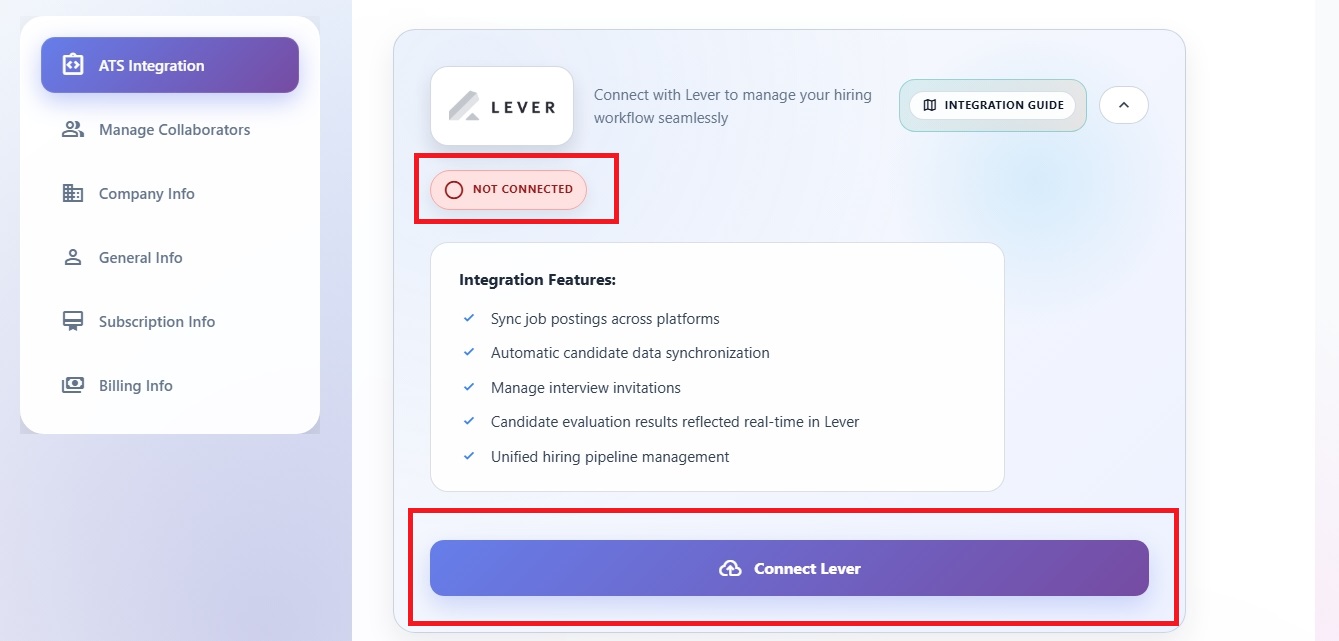
Go to your account settings in Hirevalu, under the ATS integration section. Click Connect Lever and follow the prompts to authorize Hirevalu to access your Lever account with the requested permissions.
2. Enable data sync
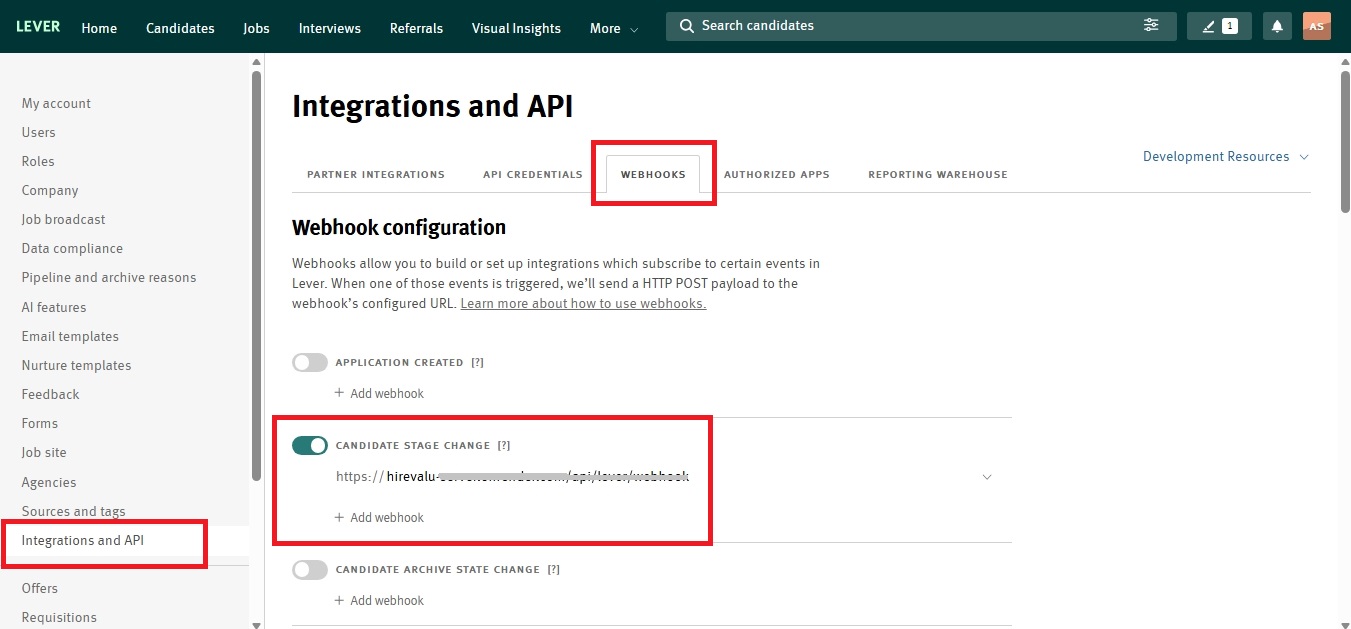
In your Lever account, go to Settings → Integrations & API → Webhooks and enable the Candidate stage change toggle so it turns green.
This is the webhook that tells Hirevalu when a candidate moves into the stage you’ll create in the next step. Without it, nothing is triggered.
3. Create a Hirevalu stage in Lever
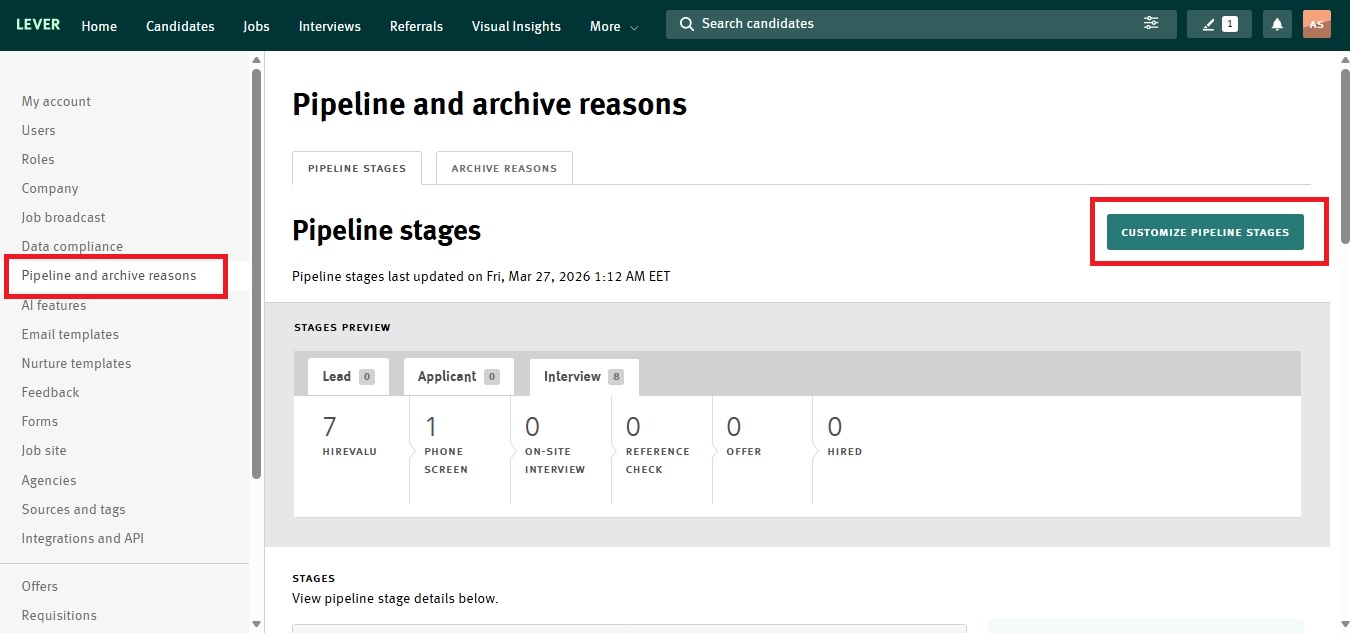
In Lever settings, go to Pipeline and archive reasons and add a stage named Hirevalu, positioned where you want candidates to be invited to screening.
Placement matters: every candidate who enters this stage is invited to a Hirevalu interview, so put it where your existing process would otherwise hand off to a first-pass screen.
4. Link a Hirevalu position to a Lever posting
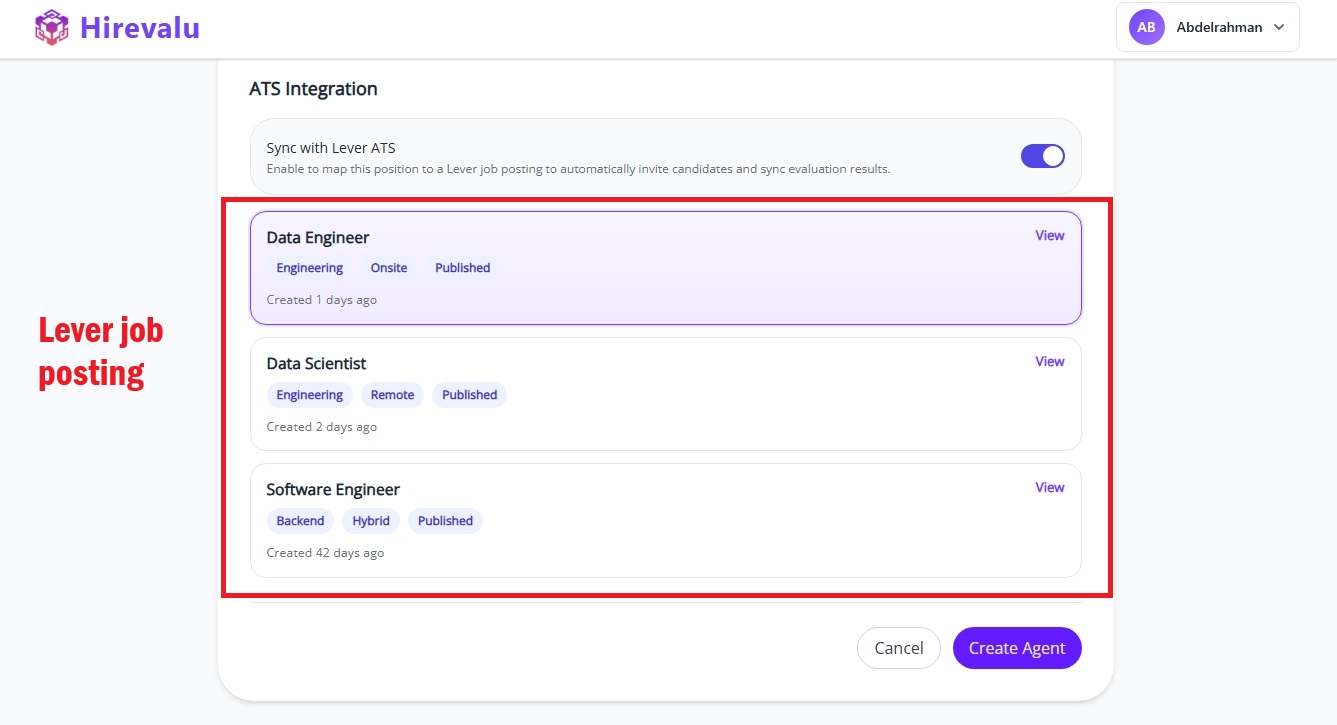
In Hirevalu, create your position (see Create your first position) and enable Lever ATS sync on the ATS integration step. Then select the Lever job posting you want to connect to this position.
Once linked, the integration will:
- Invite automatically — candidates who reach the “Hirevalu” stage in Lever are sent a screening invitation
- Sync results back — when the interview is complete in Hirevalu, the evaluation is written back to the candidate’s Lever profile
Troubleshooting
| Symptom | Likely cause |
|---|---|
| No Lever postings appear in the picker | Lever isn’t connected yet (step 1), or the account has no published postings |
| Candidates aren’t being invited | The “Candidate stage change” webhook is off (step 2), or the stage name doesn’t match |
| Results aren’t appearing in Lever | The position isn’t linked to a posting (step 4), or the interview isn’t marked complete |
If a posting still doesn’t appear after connecting, confirm the job is published in Lever — drafts are not returned by the API.